Can one marketer be a whole department?
There is an increasing expectation that AI will magically solve productivity gaps. As a marketer, this got me thinking: Can a single marketer now carry the entire function?
Take, for example, building a high-fidelity website—usually a multi-disciplinary marathon involving product marketers, copywriters, designers, and developers. Even for a simple B2B site, the time swallowed by handoffs, meetings, and feedback loops typically stretches the timeline to several months.
To test the limits of AI-augmented marketing, I set out to build a fully custom website from scratch for a hypothetical agentic customer experience (CX) AI company named 'Chiara'. My goal was to evaluate which aspects of the project AI could handle, which remains human-led, and how much time could actually be saved.
For context: I am not a developer. I’ve led marketing for technology startups and managed plenty of redesigns, but I don’t code. I know what a z-index is, but I can't write React from memory.
In this blog, I’ll break down the AI stack I used and the divide between what can be automated versus what still requires manual craft. The entire process took just over a day—approximately 12 hours.
You can see the final result (prototype website) here.
The AI stack
While all-in-one builders like Wix allow for quick starts, they often lack the design flexibility and granular control necessary for effective storytelling and conversion on B2B enterprise websites. To achieve a fully custom build, I used a stack where AI handled the structural heavy lifting.
Purpose | Tool | What aspect is AI-powered |
|---|---|---|
Copywriting | Analyzing competitor positioning; generating appropriate section-specific copy. | |
Visual identity | Generating style guides (color palettes, fonts) and moodboards to establish a brand vibe. | |
Wireframing and layout | Instantly generating sitemaps and wireframes; recommending technical style guides (e.g., hex codes) and page layouts from a library of 1,000+ components. | |
Build and deployment | Translating AI-generated wireframes and copy into a high-fidelity site without writing code. |
The experience
Here is how the 12-hour sprint actually broke down.
1. Messaging and copywriting (the shortcut)
Normally, I don’t touch website copy until positioning is set in stone, but to bridge the gap for this project, I used Gemini to analyze real-world competitors and generate section-by-section copy. While I’d never skip a thorough messaging exercise for a production-ready site, the experiment proved that AI can generate a serviceable V0.1 in minutes.
There is a caveat: because I’m not a CX expert, the output lacks the 'insider grit' of a real-world product. In my experience, high-performing messaging still requires a human editor to inject the nuance and industry-specific context that AI hasn't yet mastered.
2. Branding: the quick identity
Establishing a brand identity is typically a months-long process of research and iteration. For this project, I intentionally skipped the creative deep dive, knowing that AI is not yet fully capable of creative conceptualization (at least, I haven’t cracked the code yet). Instead, I focused on generating a workable style guide for a modern agentic AI company in the CX space.
I initially attempted to define the visual style using Adobe Firefly, but I pivoted to Relume’s style guide generator after running through my credits in just a few iterations—a common hurdle when navigating the usage limits of third-party AI models. While Relume offers instant palettes and font pairings, they almost always require manual adjustments to move beyond generic presets.
This is where the process reaches its ceiling in a 'one marketer' experiment. While AI provides the raw output, it still requires human taste to ensure the results feel intentional rather than accidental. A non-designer might not know how to balance a palette or pair typography to evoke a specific sentiment, proving that while AI can eliminate the blank page, the human must still provide the creative direction.
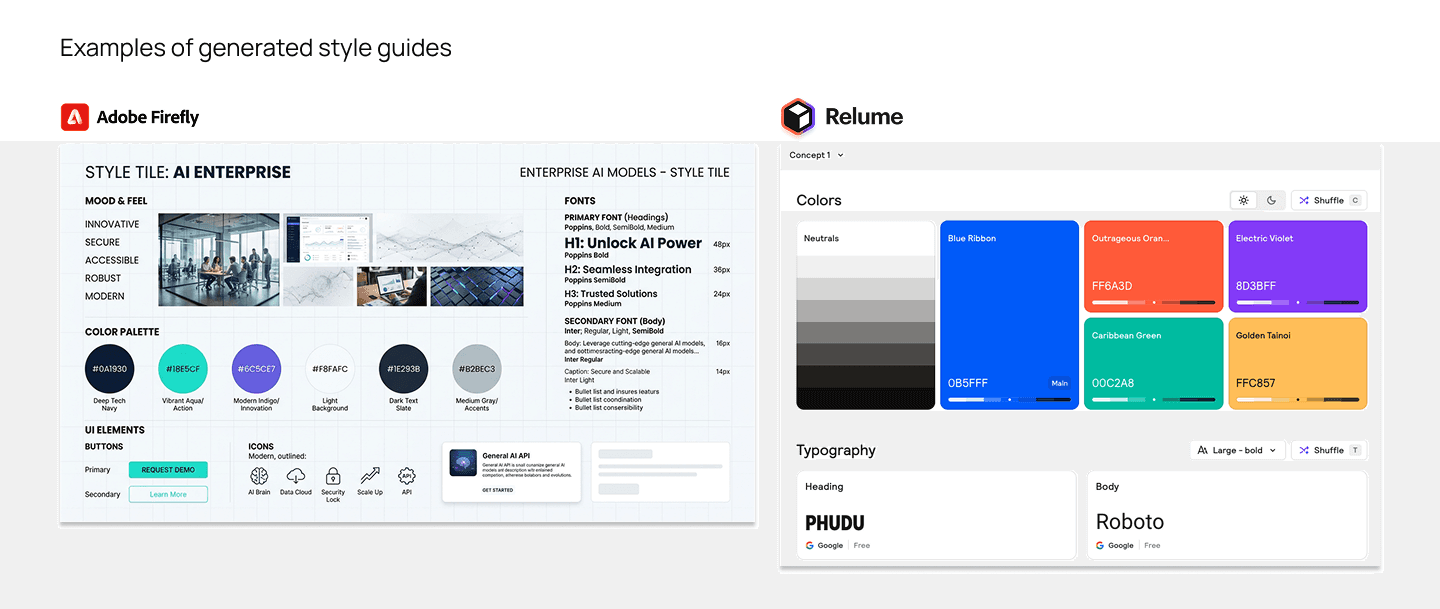
Figure 1: Style guides generated by Adobe Firefly and Relume.
3. Time-saver: wireframing and page layout with Relume
This was the biggest velocity multiplier of the project. Typically, wireframing is a labor-intensive process of developing in Figma and painstakingly building every section and component from scratch. Relume’s AI effectively collapsed this phase from days into minutes. By prompting the tool with just 1–2 sentences about the company, it generated a full sitemap and corresponding wireframes that were already linked; any structural change I made—like removing a section or a page—updated the entire layout automatically.
Further, in assembling the page layout from wireframes, I appreciated that I wasn’t locked into the AI’s first guess; I could swap any section with alternative pre-built components from a library of over 1000 components. This allowed me to directly edit the wireframes using the copy I had already generated with Gemini, ensuring the narrative and the layout were working in tandem from the start. It turned a phase that usually requires heavy design lifting into a process of high-speed curation.
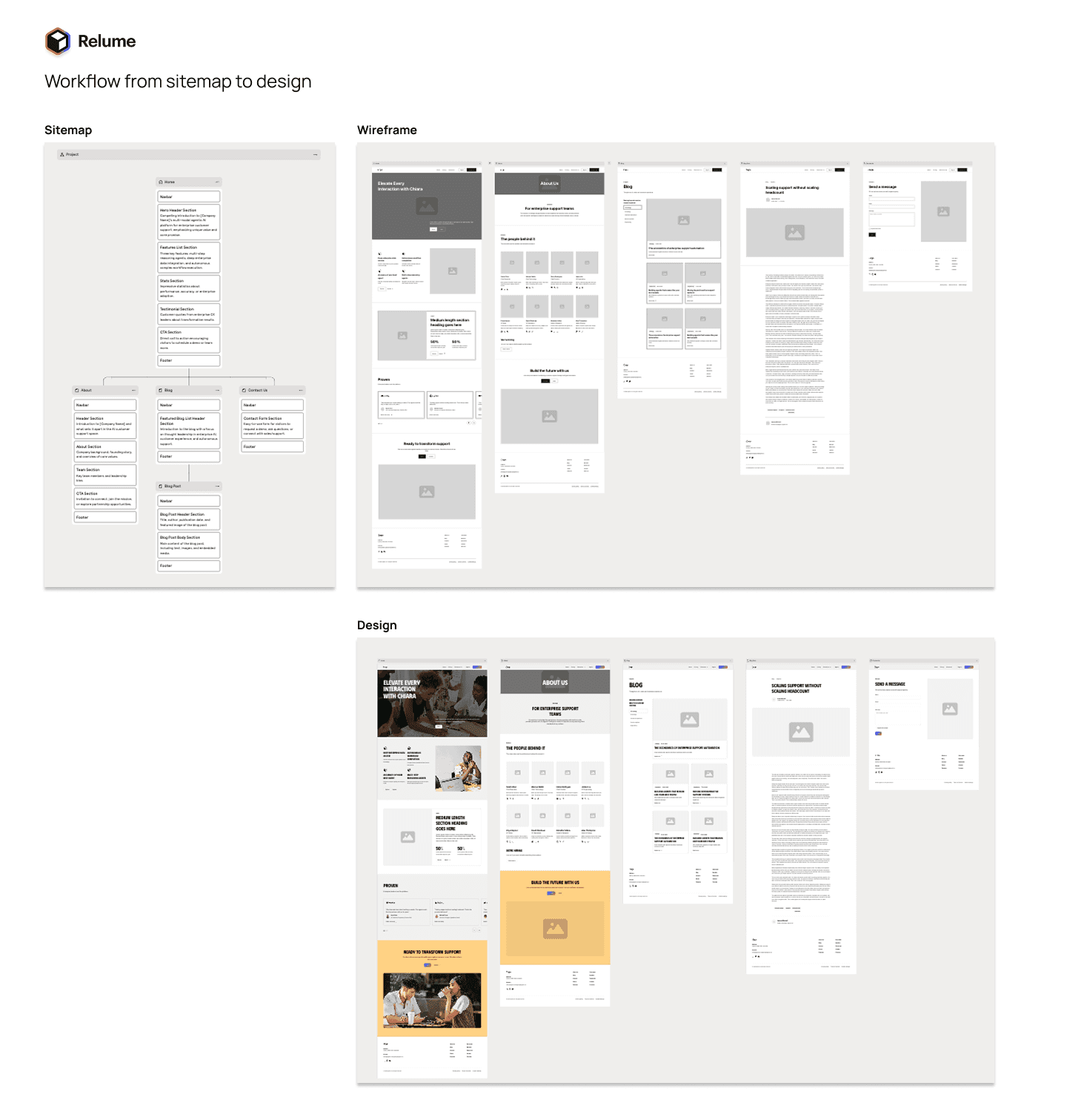
Figure 2: Relume workflow from sitemap to wireframes and design.
It’s worthwhile to note that Relume’s final design output before the 'dev handoff' is essentially a high-fidelity wireframe; while it applies the typography from your style guide, the color application is very limited. However, the handoff to the development environment was seamless. I was able to transfer these designs into Framer using Figma as an intermediary via a couple of plugins (Relume Figma plugin and Figma to HTML with Framer plugin). This meant I didn't have to rebuild a single component in the dev environment; I could iterate on layouts within Relume until the architecture felt right, then export the entire structure directly into my build tool.
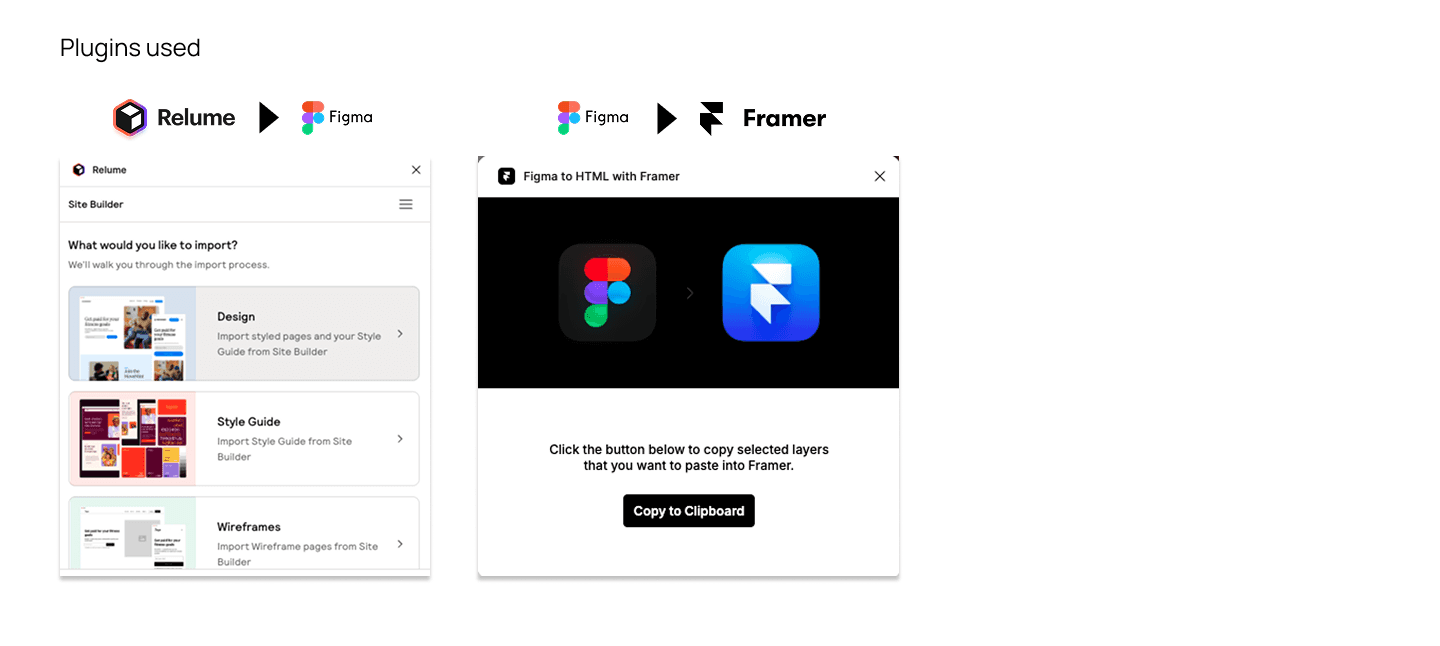
Figure 3: Plugins transport editable components from Relume to Framer via Figma as an intermediary.
4. Build and QA in Framer
While plugins transferred the Relume design into Framer instantly, the process isn't 'set it and forget it.' Because the styling didn’t carry over perfectly, I had to manually adjust details like margins and layout positioning to match my original style guide. To keep things organized, I set up a dedicated style page at the start of the build, allowing me to apply the color palette and typography consistently across the entire site.
This final phase—animation and QA—is where human craft still lives. It was the most manual part of the sprint, proving that while AI can build the structure, a human still needs to fix bugs, test responsiveness, and provide the final polish. Custom animations easily took the most time; interactions like scrolls, hovers, and 'layer-in-views' are what make a B2B site feel premium and 'expensive.' Fortunately, I found Framer’s interface more intuitive for this type of motion work than tools like Webflow.
Responsive QA required a similar level of manual oversight. While Framer generates layouts for multiple breakpoints simultaneously, I still had to QA the site across mobile, tablet, and desktop to ensure the transferred layout and animations didn’t break—which they often did.

Figure 4: Final output of the website project.
You can see the final result (prototype website) here.
Learnings
Overall, I’m inspired by how the right combination of AI and purpose-built tools allowed one marketer to create a fully custom, polished website in a fraction of the usual time. My key takeaways are as follows:
1. AI capabilities vs. human craft
The most important thing is knowing exactly where the AI’s job ends and yours begins. For this project, AI handled the heavy construction: generating the initial copy, building the wireframes, and scaffolding the initial build. However, a human is still required for high-value finishing. AI cannot yet handle the last mile of professional polish, complex animations, or rigorous QA.
2. Collapsing the 'cold start' and 'handoff gap'
AI effectively removes the 'cold start' problem. Even if the initial output isn't perfect, it is significantly easier to refine a generated layout than it is to face a blank screen. By using this stack, I also eliminated the traditional designer-developer handoff. In a typical workflow, this is where miscommunication or translation errors between Figma and live code often happen, leading to delays. When one person owns both the design and the build through an integrated AI workflow, those barriers disappear.
3. The human as the strategic conductor
AI is a powerful tool, but the human remains the architect. Even with the best software, one must still own three pillars:
Strategy: Defining the positioning, the core messaging, and the creative vision of the project.
Approach: Knowing which tools to select for each job.
Process: Managing the cadence and the multidisciplinary 'to-do list' to ensure the project meets the standard for launch.
Next steps
This project served as a stress test for web development, but it’s only the beginning. Moving forward, I’ll further explore how AI can be leveraged across other marketing functions.